What if you could build ANY material from scratch in KeyShot?

The KeyShot Material Masterclass is a self-paced online course designed to teach you the best way to create custom, photo-realistic materials in KeyShot from scratch. This course will help you understand the smallest building blocks and how to use them to create accurate, realistic, beautiful materials. 


My KeyShot Material Challenges ...

When I first discovered KeyShot, I was blown away by the easy drag-and-drop materials and simple lighting. But as a product designer, I ran into a few problems.

Do any of these sound familiar?: 

Have you ever needed a material that you couldn't find in the KeyShot library?

❓ Have you downloaded a 3D model to use in your KeyShot scene just to find the included materials didn’t work in KeyShot?!

❓ Or maybe your materials just don't look as realistic as you need them to.

Annoying, right?

You're not alone. KeyShot makes it easy to start, but photo-realism... that's another challenge.

... and how I tried to fix them.

Whether I’m designing something new or trying to render an existing product, the material has to look right. If it doesn’t, the rendering will look fake or I run the risk of miscommunicating the CMF.

And in today’s highly competitive digital-first world, we can’t afford to have lousy looking materials in our renderings.

So, what did I do?

❌ YouTube content was thin back then.

❌ The KeyShot Cloud Library can be hit or miss, but I often emerge empty-handed.

❌ Online forums can be helpful but posts aren't always up-to-date with the latest software version.

❌ And since I didn't know the right way to use purchased textures, the results were lackluster.

I repeated this cycle many times until something happened. 

Here's what ended up actually working

Luxion, the makers of KeyShot, offered me a position I had applied for.  😲🎉

But I still had a lot to learn.

✔️ At Luxion, the Global Training Specialist taught me how KeyShot’s material and sampling system works, along with its limitations, quirks and optimal workflow.

✔️ I was able to ask questions to the software developers and Chief Scientist whenever I was confused about something.

✔️ I also bought and read a handful of books about 3D rendering, computer graphics, photography, lighting and cinematography so I could have a better understanding of how materials interact with light in the real world.

Years of study, practice and learning from other bright people helped me become the Global Training Specialist at Luxion.


Now, I LOVE making new materials in KeyShot

Since going through the process of learning all about how KeyShot materials work and how materials work in the real world, I’ve come to enjoy crafting new materials.

Today, the Material Graph is like an extension of my mind. It’s easy for me to look at a material in a photo or in the real world and imagine what it looks like as a network of nodes in the KeyShot Material Graph.

Another benefit of knowing how all these materials work is being able to work quickly. Seldom do I waste time trying out a bunch of material options.

And if I do need to make use of third-party textures, it’s a big time-saver to just download what I need, pop them into the Material Graph, make a few adjustments and be done!

KeyShot is more fun to work with when you really understoand how the material system works!

Here's your shortcut!

I realize not everyone has the same opportunity to work for KeyShot or spend years studying its intricacies.

Nor would I want you to! Learning through trial and error is incredibly inefficient.

This is why I created a course to shortcut your learning.

Rather than spending years like I did, you can gain key insights in a matter of days.

Introducing, the KeyShot Material Masterclass

How it’s different
This is my third and biggest masterclass course offering to date! Rather than just demonstrating how to create a few common materials, I wanted to make a product that is like nothing else available. This course is organized into 3 distinct sections:

Section 1 - Foundations
Section 1 focuses on laying a solid foundation for the rest of the course contents. Because everyone has a different level of experience, I set out to cover all information relevant to both beginners and intermediate users. Chapters in Section 1 cover topics like terminology, naming conventions, KeyShot material types, many topics related to texture formats, mapping, gamma and more.

Section 2 - Material, Texture & Node Index
Section 2 covers an in-depth look at every single material type, procedural texture and Material Graph node available in KeyShot. Think of this as an index that you can quickly refer to whenever you need to brush up on how a specific material, or node works in KeyShot. You’ll become a Material Graph wizard in this section.

Section 3 - Project-Based Lessons
Section 3 is where the project-based lessons begin. Chapters in this section will help you build up muscle memory through practical applications of previously covered material. Here, you’ll learn by following along and creating dozens of materials from scratch, adding imperfections and even rendering out an entire bathroom interior scene. Here, you’ll gain practical experience and gain lots of best practices for working on a project from importing to post production.


Trusted by designers from the biggest brands

My KeyShot training courses are used by designers, engineers and other creative professionals at some of the most beloved and respectied companies in the world.

KeyShot has become an industry-standard rendering tool when it comes to product visualization. If you're a designer hoping to stay relevant in the field or looking to land your first job, it helps to know the tools the pros are using.

Here's what's included in this course

ex

Library of 166 video lessons

Feature-based videos are bite-sized quick-reference videos that are great for brushing up on a specific material, node or tool in KeyShot. 

Project-based lessons are longer and more in-depth videos designed to take you through real-world scenarios.

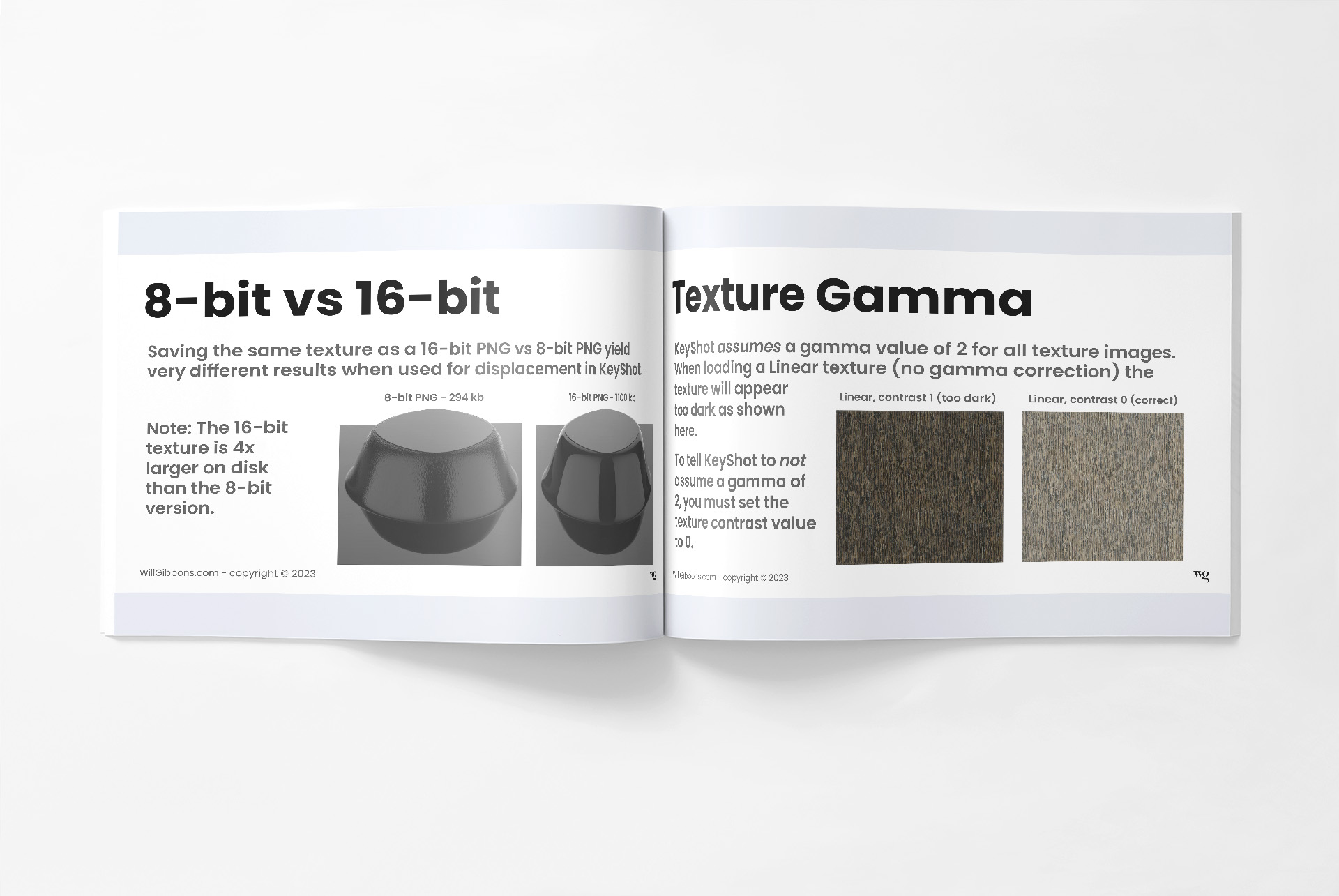
79-Page Material Foundations PDF

This document contains all the visuals and key insights covered in the lecture-based lessons. 

Oftentimes, one of these slides will be all you need to jog your memory of an important feature within KeyShot.

4 KeyShot Package Files

KeyShot Package Files (.KSP) will be supplied so you can follow along with the course material.

1. The MatLAB - Explore new material types.

2. MatLAB Models - Create detailed, common materials.

3. The Bathroom Scene - A fully-loaded interior setting.

4. MatLAB Bonus - 10 essential materials for designers... from scratch!

16 Detailed 3D Models

For those who can’t open the KSP files, I'm including the 3D files I personally modeled specifically for this course. 

This way, you can still follow along with the video lessons. And if you wish to use the models for personal or commercial use, you can!

Not pictured (Bathroom & MatLAB models)

To summarize... here's what you get:

  • 166 Video Lessons

  • 79 Page Quick-Reference PDF

  • 4 KeyShot KSP files

  • 16 CAD Models

What people say about my courses

This course is brand new! So while we wait for the testimonials to roll in, check out what customers think about my other Masteclass courses.

Owen Spartz

 Will’s Masterclasses are unmatched in providing well rounded knowledge of KeyShot and its capabilities. During my first internship after college I took Will’s rendering course. The skills and insight I gained impressed that company enough, they helped create a new full time role for me as a Product Visualization Specialist. 

Tom Mason

 I had a real rush job for my client. Got the info at 5:30am, did the CAD work, updated the assets in KeyShot and thanks to your courses, finished the renderings at 4pm. Thanks, I never would have gotten it done if not for your lessons 

Voula Zarpani

 I am delighted with Will's courses. Threy're an excellent investment, and I recommend them wholeheartedly. I feel empowered and can now make informed decisions using the program. The way that I engage the Keyshot program has changed! 

Kristina L.

 Great course, helping me to refresh and systematize knowledge of KeyShot. Perfect density of information in each topic and speed of presenting. Thoughtful structure and working tips, clearly based on personal experience of Will, - make it truly helpful and enjoyable! 

Anthony Benitez

 Excellent class. You must have spent many hours putting this together into a seamless presentation and it shows. The level of detail is excellent and appreciated. I've already learned many things I never knew existed, and have revamped the way I look at and use the software. 

Ryan McGoldrick

 As an industrial designer that has been working professionally for some time now I was surprised by how much more there was to learn. It feels like I finally understand how best to use KeyShot efficiently and to get the results I need. 

George Fernandez

 I was thrust into using KeyShot at a new job with zero training. The Masterclass took my limited knowledge and extend what I learned on YouTube to the next level. It helped me prepare for projects, organize tasks and understand the importance of planning before applying material and colors to imported products. I refer constantly to areas of the course when challenged with new designs. Great investment in my training. 

Michael Zarazua

The KeyShot rendering masterclass helped me land my first job as an industrial designer. It was almost impossible for me to land interviews before taking this course. Because my rendering skills were so poor, I was unable to find work. Half of the design studios I reached out to were interested in my portfolio after I applied my newly acquired rendering skills. The fact that some of the best design studios wanted to hire me was astounding. 

Mitch Altman

Will is well spoken and moves through the material at a good pace. The combination of FBL and PBL is a great way to learn because it allows you to understand the potential of the tools and then apply them in a practical scenario. This learning style makes it easy to go back to the tools/concepts learned in the course and feel confident about applying them to my own work. For those looking to level up their renderings, Will's Masterclass courses are a great investment! 

Efrain Villa

You know I really love the both instructional and in action part of Will's courses. Being hands on, it’s easy to learn while doing it, but leaves room for bad habits to develop, like creating a bunch of unnamed layers in PS. By showing how you do it, and your step by step, and honestly being raw and making mistakes, helps me to be a problem solver using your techniques. Very valuable. Also I love the long videos, I appreciate you didn’t trim them or leave it up to interpretation.

Nick Purcell

Up until now, I've taught myself KeyShot. I have found Will's Rendering Masterclass course invaluable to discover. The course has taught me lots of neat things and I'm not even finished yet. The lessons are presented perfectly and at the perfect learning pace. I just wish I had purchased it years ago. It's worth every penny if you want to improve your rendering skills. 

John Mierisch

The KeyShot Rendering Masteclass is an excellent course, well planned out and comprehensive. The sections covering building and applying textures were especially informative. My favorite parts were focused on the Material Graph. I think more experienced users will get the most out of this course. 

Project-Based Lessons

If you've taken any of my other courses, then you know I'm a big proponent of project-based lessons as a means to learn new skills.

By working though a real-world project, you get exposed to unique challenges that aren't encountered when working with optimized example files. 

Join me as I create an entire bathroom interior. Together, we'll learn how to problem-solve, optimize the scene, handle bright day-time lighting and add realism to bring the scene to life.

First, we'll create a bunch of materials in a studio setting while obsessing over the details that make the material look real. We'll save these custom materials to our library. 
Next, we'll apply those custom-built materials to our bathroom scene.

And after setting up cameras, we'll make any last adjustments the materials need, as well as making materials for the surfaces in the bathroom. 

Finally, we'll light the scene, render out the images and do some light post production in Photoshop to finish up the images. 

Details...

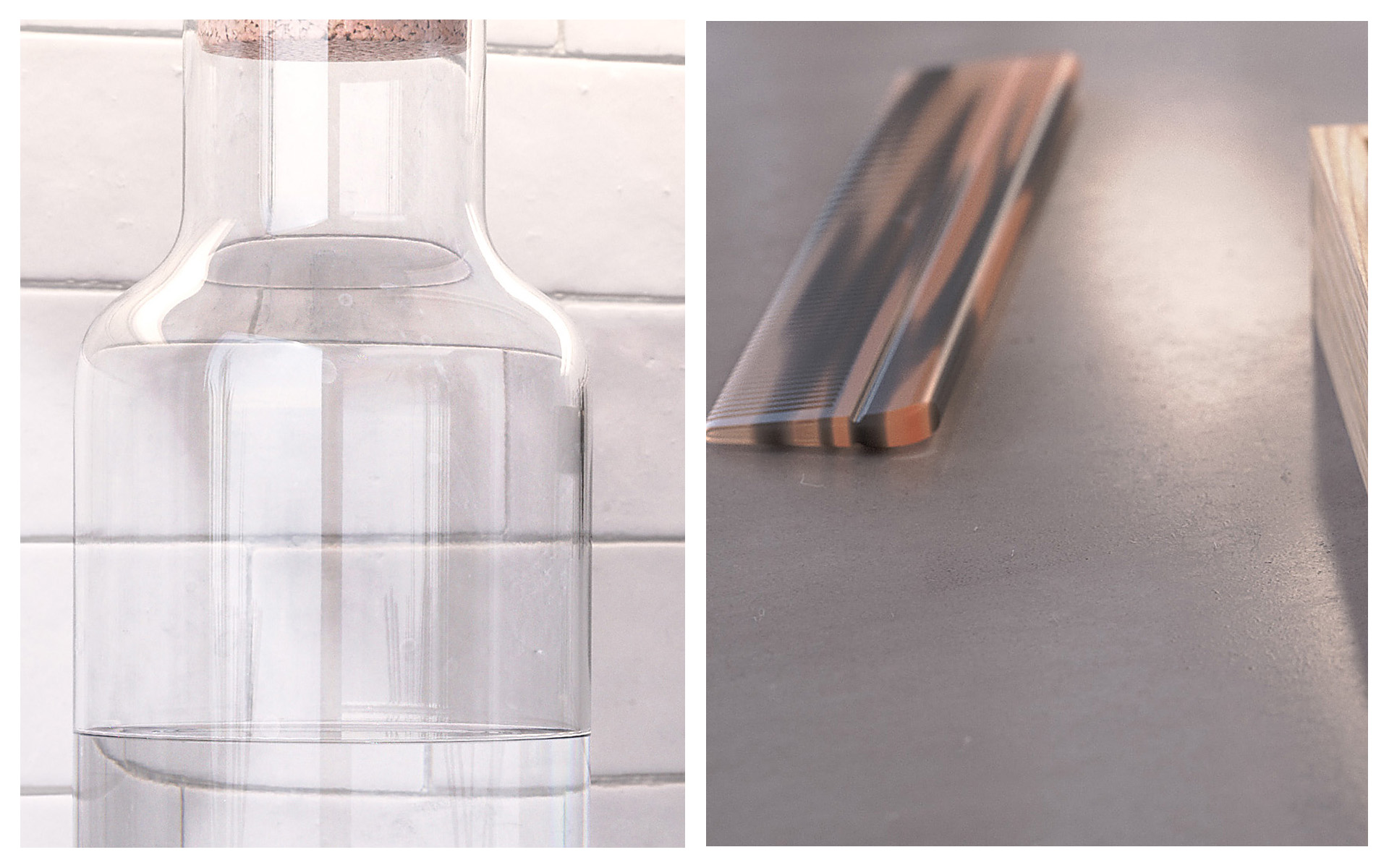
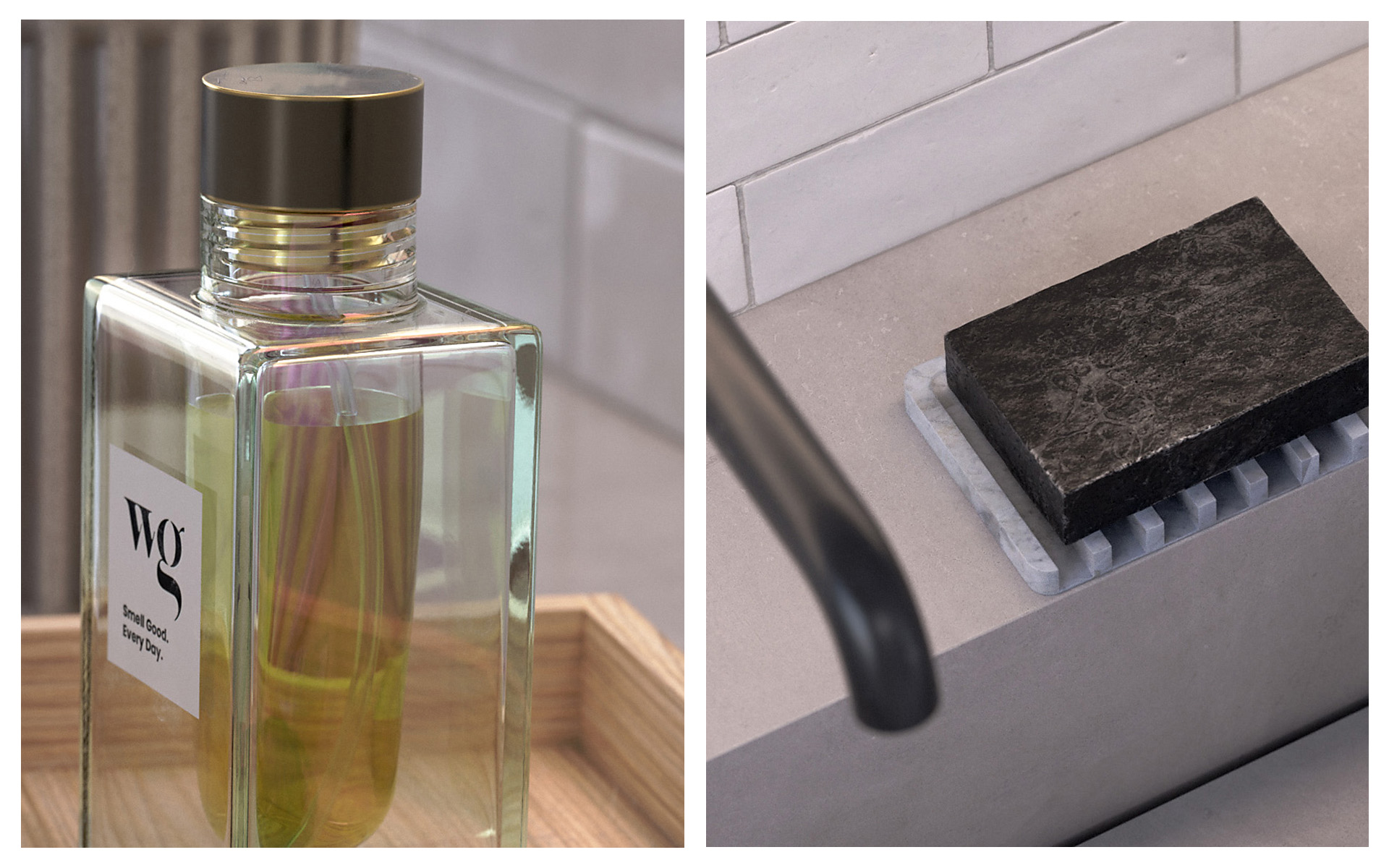
While these bathroom images might look pretty simple and straight-forward at a glance, the materials contain many small details.

When viewed at a distance, the details seem to disappear. However, they play a critical role in the realism of a of a rendered image.

Notice the little details that come to life when we look a bit closer at those bathroom scene renderings.

Bonus Content

 
When you purchase the KeyShot Material Masterclass, I’ll be including some extra bonus material to help you elevate your skills even further!

Bonus Chapter: 14, Creating 10 Common Materials From Scratch

In this chapter, you’ll learn how to create the following materials in KeyShot: 
  • Bead Blasted Aluminum
  • Clear Polycarbonate
  • Translucent Silicone
  • Closed Cell PET Foam
  • 3D Printed SLA Material
  • Water Droplets
  • Eco Paper Pulp Packaging
  • Textured Powder Coat & Plastic
  • Geometric Surface Details
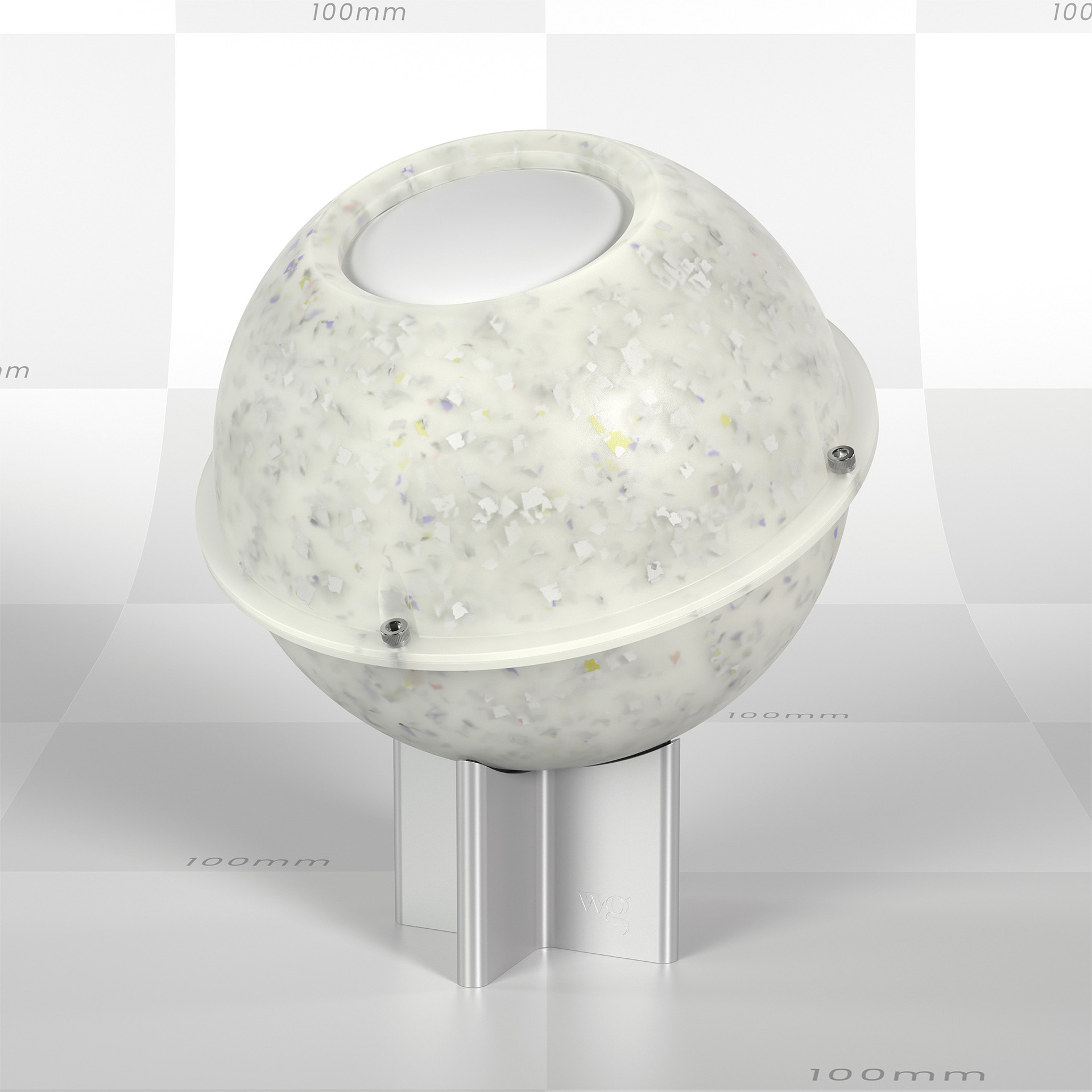
  • Recycled Plastic Composite
 

What if you don't like it?

While I have done my best to create an amazing product and describe it accurately, I understand that I can’t please everybody.

If you take the course and feel like I did not deliver on the value I promised, Just email me asking for a refund and I will issue one.

To be eligible for a refund, a request must be made less than 90 days from date of purchase.

Frequently asked questions

How is this differnt from your Material Graph course?

I have a course that used to be called the Material Graph Masterclass. It was taught live in 2020 and it covers about 2 hours of information. Compared to this course, it's basically an introductory course focused on the main components of KeyShot's Material Graph. 

Since then, I have begun creating insanely in-depth courses that I call Masterclasses. These courses are far more thorough and include full project-based lessons begining-to-end.

The KeyShot Material Masterclass basically covers everything the old Material Graph Masterclass did and a whole lot more.

What version of KeyShot do I need to take this course?

KeyShot Pro at a minimum. I recommend KeyShot 11 or newer in order to be able to follow along with all the features I show and open all the files I supply you with. If you are on an older version, many concepts and tools will be the same. If you have an older version of KeyShot that is not KeyShot Pro, such as KeyShot for Zbrush or KeyShot for other CAD tools you should NOT purchase this course.

How long will I have access to this course for?

This course is a one-time purchase. You will have access to it for as long as it exists online.

Do you have any student discounts?

There are no discounts for students. Everyone in this course is a student. This is a massive course and it costs significantly less than formal education courses and course materials. If you're serious about building skills as a student, think of this as an alternative to taking another course at your college. 

Can I download the video lessons?

Unfortunately, not at this time.

How much KeyShot experience do I need to take this course?

Technically, none. However, this course focuses almost exclusively on materials. I do not go into depth on lighting, or many other features in KeyShot. If you want a more general understanding of KeyShot, then you should consider my KeyShot Rendering Masterclass. 

Do I need a powerful computer to do this course?

Of course, the higher-end the better. Please refer to the minimum requirements on KeyShot's website.

What software other than KeyShot is needed to follow along with this course?

This course walks you through doing some post-production techniques in Photoshop. You could achieve these effects using some other software like Affinity Photo or similar. 

Can our studio or department share the course?

I can’t stop you… but it’s meant to be purchased for a single user. I offer discounts on corporate/bulk purchases, so shoot me an email if you’re interested. will@willgibbons.com

Can I get a receipt or invoice to expense or claim this purchase on my taxes?

Yes, I have instructions on how to do that included in the files/downloads section of this course.

How long is this course?

There are a little more than 22 hours of video lessons.

Is there a payment plan for those who can’t afford the one-time price?

There is not a payment plan for my courses at this time. I have priced the course as low as I can without devaluing the content too much. I understand it may be too expensive for many. I give away a lot of free content on my website, YouTube channel, email newsletter and answering emails and DMs. If this course is too expensive for you now, I recommend you consume my free and cheaper content to help you improve your earning power. My course will be here when you are ready. I also run sales periodically, so make sure you join my email list and keep an eye open!
Before you go!

If you want to take the guesswork out of materials in KeyShot, the Material Masterclass will help unlock your potential.

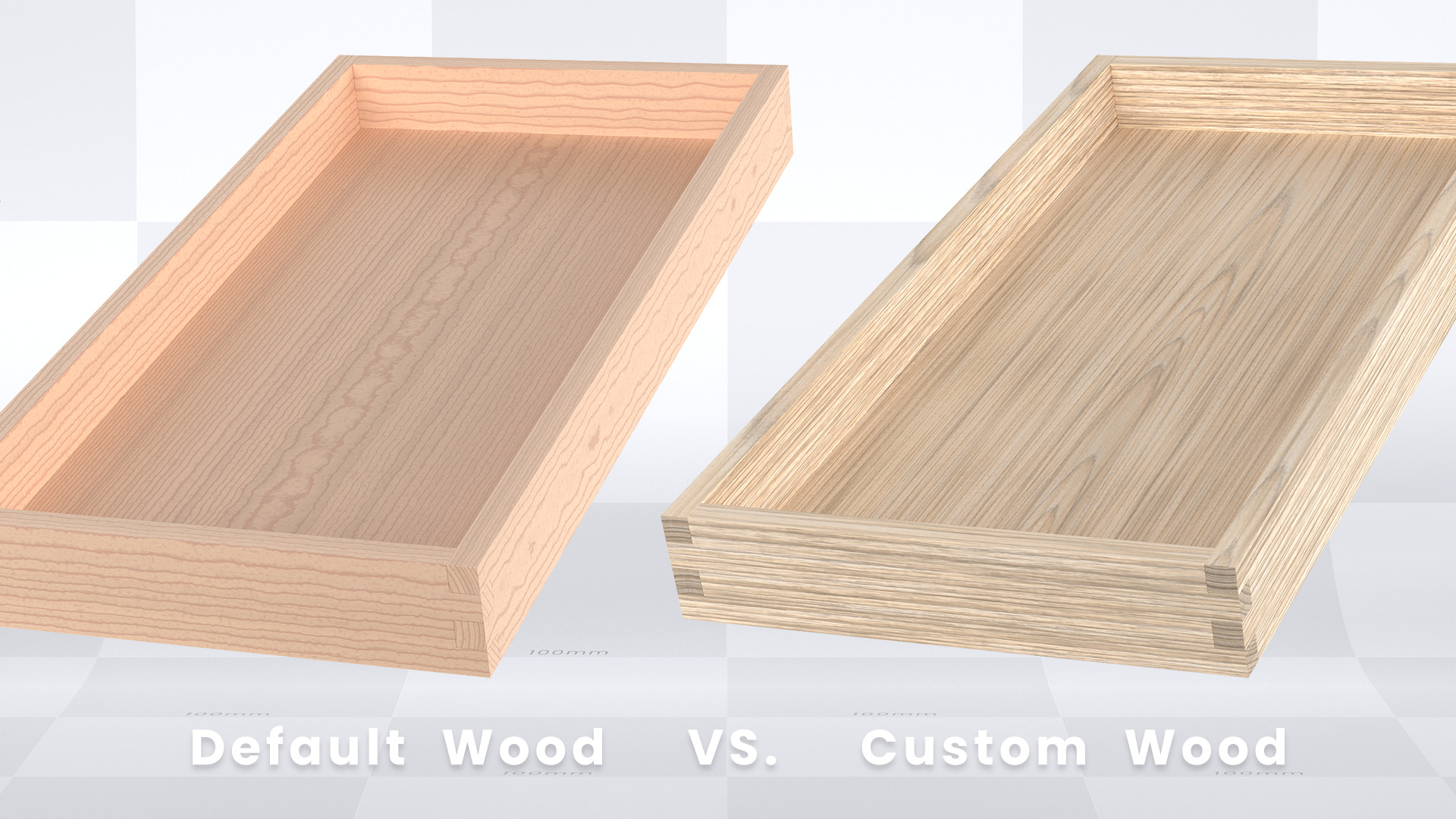
You know that old saying, the devil is in the details? That couldn’t be more true than when dealing with materials. At a quick glance, most materials look simple. But upon closer inspection, there are lots of small details that contribute to the overall appearance.

This means, the success of your rendering relies on getting the smallest of details right. This course will show you how to nail all those small details.

The KeyShot Material Masterclass is a one-stop-shop for all things materials in KeyShot.

Here’s a reminder of some of what you’ll learn when you enroll in this course: 
 ✔️ What every setting in every material does
 ✔️ How to know which material you should use
 ✔️ The pros and cons of using image-based and procedural textures
 ✔️ How to use every procedural texture in KeyShot
 ✔️ The best way to create materials in the Material Graph
 ✔️ How to create custom libraries of your own materials
 ✔️ When to use a bump, normal or displacement maps
 ✔️ How to UV unwrap a surface for proper texture mapping
 ✔️ What gamma correction is and how it can ruin your renderings
 ✔️ Why and how to linearize textures in KeyShot
 ✔️ The proper PBR material workflow for KeyShot
 ✔️ Seven different ways to create material imperfections
 ✔️ How to create dozens of different materials from scratch
 ✔️ Efficient workflow for rendering an interior bathroom scene
 ✔️ Ways to create dynamic interior lighting
 ✔️ How to use tone mapping to make your lighting look right in KeyShot
 ✔️ Top post-production tips to make an image look bright and correct
 ✔️ How to reduce fireflies and noise in-render and in post-production

I worked very hard to create a course that condenses years of my learning into something you can complete in a few weeks even if you have a full-time job!

I didn’t hold back any secrets or techniques in this course. It’s basically everything I know about materials in KeyShot. I hope you’ll take the plunge and start leveling up today. 

Want a free preview of the lessons?!

Click the blue 'Preview' buttons below to watch some of the lessons. This will give you an idea of how I teach and how the course is structured. 

Full course Contents

Introduction

Before we begin.m4v
  • 3 mins
  • 326 MB
C0L0 - Course Overview.m4v
  • 15 mins
  • 1.39 GB
Preview

Downloadable Project Files

Be sure to download all these project files, unzip them, then place them in a folder. This way, you'll be able to follow along with the lessons in this course.

3. Labels.zip
  • 490 KB
KeyShot Material Masterclass Guide.pdf
  • 5.82 MB
1. Models.zip
  • 28.2 MB
2. HDRIs.zip
  • 160 MB
5. KeyShot files.zip
  • 332 MB
4. Materials.zip
  • 434 MB
KeyShot Material Masterclass Lecture Slides.pdf
  • 6.04 MB

Chapter 1 - Material Foundations

C1L0 - Intro.m4v
  • 2 mins
  • 256 MB
C1L1 - Material Terminology .m4v
  • 9 mins
  • 700 MB
C1L2 - Common Material Properties.m4v
  • 5 mins
  • 357 MB
C1L3 - KeyShot Material Models.m4v
  • 5 mins
  • 434 MB
C1L4 - KS Materials vs 3rd Party.m4v
  • 3 mins
  • 226 MB
C1L5 - Texture to Material Workflow.m4v
  • 2 mins
  • 84.8 MB
C1L6 - Seamless Textures.m4v
  • 3 mins
  • 154 MB
C1L7 - Scale and Thickness.m4v
  • 2 mins
  • 201 MB
C1L8 - CPU vs GPU Rendering.m4v
  • 5 mins
  • 430 MB
C1L9 - Asset Organization.m4v
  • 5 mins
  • 482 MB
C1L10 - Opaque Transparent Translucent.m4v
  • 3 mins
  • 145 MB
C1L11 - How Light Affects Materials.m4v
  • 3 mins
  • 154 MB
C1L12 - Using Reference.m4v
  • 2 mins
  • 139 MB
C1L13 - MatLAB pt1.m4v
  • 33 mins
  • 1.93 GB
C1L13 - MatLAB pt2.m4v
  • 21 mins
  • 1.32 GB

Chapter 2 - Anatomy of KeyShot Materials

C2L0 - Intro.m4v
  • 2 mins
  • 186 MB
C2L1 - Material Types.m4v
  • 6 mins
  • 226 MB
C2L2 - Linking and Unlinking Materials.m4v
  • 9 mins
  • 577 MB
C2L3 - Saving Importing Exporting Materials.m4v
  • 7 mins
  • 203 MB
C2L4 - Textures.m4v
  • 8 mins
  • 543 MB
C2L5 - Labels.m4v
  • 8 mins
  • 486 MB
C2L6 - Multi-Materials.m4v
  • 6 mins
  • 306 MB
C2L7 - Material Samples.m4v
  • 6 mins
  • 273 MB
C2L8 - Index of Refraction.m4v
  • 6 mins
  • 346 MB

Chapter 3 - Every KeyShot Material Explained

C3L0 - Intro.m4v
  • 1 min
  • 110 MB
C3L1 - Fixing Backdrop Ramp.m4v
  • 8 mins
  • 556 MB
C3L2 - Flat.m4v
  • 4 mins
  • 174 MB
C3L3 - Diffuse.m4v
  • 3 mins
  • 98.6 MB
C3L4 - Paint.m4v
  • 4 mins
  • 232 MB
C3L5 - Plastic.m4v
  • 5 mins
  • 382 MB
C3L6 - Metal.m4v
  • 8 mins
  • 657 MB
C3L7 - Metallic Paint.m4v
  • 13 mins
  • 1.04 GB
C3L8 - Anisotropic.m4v
  • 6 mins
  • 417 MB
C3L9- Glass.m4v
  • 6 mins
  • 411 MB
C3L10 - Glass Solid.m4v
  • 5 mins
  • 333 MB
C3L11 - Liquid.m4v
  • 4 mins
  • 185 MB
C3L12 - Gem.m4v
  • 7 mins
  • 509 MB
C3L13 - Dielectric.m4v
  • 8 mins
  • 601 MB
C3L14 - Multi-layer Optics.m4v
  • 5 mins
  • 429 MB
C3L15 - Plastic Transparent.m4v
  • 7 mins
  • 528 MB
C3L16 - Plastic Cloudy.m4v
  • 8 mins
  • 596 MB
C3L17 - Translucent.m4v
  • 8 mins
  • 650 MB
C3L18 - Translucent Medium.m4v
  • 5 mins
  • 404 MB
C3L19 - Scattering Medium.m4v
  • 6 mins
  • 411 MB
C3L20 - Advanced.m4v
  • 7 mins
  • 331 MB
C3L21 - Measured.m4v
  • 4 mins
  • 197 MB
C3L22 - Generic.m4v
  • 6 mins
  • 484 MB
C3L23 - RealCloth.m4v
  • 9 mins
  • 625 MB
C3L24 - Thin Film.m4v
  • 3 mins
  • 194 MB
C3L25 - Velvet.m4v
  • 3 mins
  • 208 MB
C3L26 - Cutaway.m4v
  • 6 mins
  • 494 MB
C3L27 - Emissive.m4v
  • 7 mins
  • 483 MB
C3L28 - Area Light.m4v
  • 6 mins
  • 344 MB
C3L29 - Ground.m4v
  • 4 mins
  • 322 MB
C3L30 - Toon.m4v
  • 7 mins
  • 507 MB
C3L31 - Wireframe.m4v
  • 4 mins
  • 262 MB
C3L32 - Xray.m4v
  • 1 min
  • 57.4 MB

Chapter 4 - All about textures

C4L0 - Intro.m4v
  • 2 mins
  • 160 MB
C4L1 - Image Textures.m4v
  • 1 min
  • 83.4 MB
C4L2 - Texture Properties.m4v
  • 13 mins
  • 1.03 GB
C4L3 - Texture Names.m4v
  • 3 mins
  • 241 MB
C4L4 - Procedural Textures.m4v
  • 7 mins
  • 561 MB
Preview
C4L5 - Texture Mapping.m4v
  • 17 mins
  • 1.29 GB
C4L6 - Center On Modes.m4v
  • 6 mins
  • 364 MB
Preview
C4L7 - UV Unwrapping.m4v
  • 11 mins
  • 829 MB
C4L8 - Bump vs Normal vs Displacement.m4v
  • 3 mins
  • 159 MB
C4L9 - Asset Libraries.m4v
  • 11 mins
  • 576 MB
C4L10 - Texture Creation Software.m4v
  • 5 mins
  • 105 MB
C4L11 - Image vs Procedrual Textures.m4v
  • 2 mins
  • 127 MB

Chapter 5 - Material Graph Overview

C5L0 - Intro.m4v
  • 1 min
  • 121 MB
C5L1 - Enable Experimental Features.m4v
  • 2 mins
  • 58.1 MB
C5L2 - Intro to Material Graph UI.m4v
  • 6 mins
  • 187 MB
C5L3 - Anatomy of a Node.m4v
  • 12 mins
  • 398 MB

Chapter 6 - Every Procedural Texture Explained

C6L0 - Intro.m4v
  • 1 min
  • 68.6 MB
C6L1 - Color Value as Numerical Value.m4v
  • 4 mins
  • 171 MB
C6L2 - Brushed.m4v
  • 9 mins
  • 432 MB
C6L3 - Mesh.m4v
  • 10 mins
  • 437 MB
C6L4 - Weave.m4v
  • 6 mins
  • 303 MB
C6L5 - Brushed Radial.m4v
  • 8 mins
  • 343 MB
C6L6 - Camouflage.m4v
  • 5 mins
  • 176 MB
C6L7 - Cellular.m4v
  • 4 mins
  • 186 MB
C6L8 - Color Gradient.m4v
  • 8 mins
  • 362 MB
C6L9 - Contour.m4v
  • 4 mins
  • 166 MB
C6L10 - Curvature.m4v
  • 5 mins
  • 147 MB
C6L11 - Granite.m4v
  • 3 mins
  • 131 MB
C6L12 - Leather.m4v
  • 3 mins
  • 89.7 MB
C6L13 - Marble.m4v
  • 4 mins
  • 199 MB
C6L14 - Noise Fractal.m4v
  • 4 mins
  • 152 MB
Preview
C6L15 - Noise Texture.m4v
  • 3 mins
  • 95.8 MB
C6L16 - Occlusion.m4v
  • 7 mins
  • 245 MB
C6L17 - Scratches.m4v
  • 6 mins
  • 246 MB
C6L18 - Spots.m4v
  • 4 mins
  • 171 MB
C6L19 - Vertex Color.m4v
  • 2 mins
  • 28.6 MB
C6L20 - Volume Map.m4v
  • 2 mins
  • 32.9 MB
C6L21 - Wood and Wood Advanced.m4v
  • 9 mins
  • 478 MB

Chapter 7 - Every Special Node Explained

C7L0 - Intro.m4v
  • 1 min
  • 99.5 MB
C7L1 - Texture Map.m4v
  • 3 mins
  • 118 MB
C7L2 - Tiled UV.m4v
  • 3 mins
  • 70.7 MB
C7L3 - Triplanar.m4v
  • 3 mins
  • 113 MB
C7L4 - Video Map.m4v
  • 4 mins
  • 129 MB
C7L5 - 3D Paint.m4v
  • 7 mins
  • 467 MB

Chapter 8 - Every Utility Node Explained

C8L0 - Intro.m4v
  • 1 min
  • 70.1 MB
C8L1 - Bump Add.m4v
  • 4 mins
  • 193 MB
C8L2 - Color Adjust.m4v
  • 4 mins
  • 188 MB
C8L3 - Color Composite.m4v
  • 7 mins
  • 300 MB
C8L4 - Color Invert.m4v
  • 2 mins
  • 47.4 MB
C8L5 - Color Key Mask.m4v
  • 6 mins
  • 259 MB
C8L6 - Color to Number.m4v
  • 7 mins
  • 316 MB
Preview
C8L7 - Curve Color Randomize.m4v
  • 2 mins
  • 83.6 MB
C8L8 - Mapping 2D.m4v
  • 5 mins
  • 231 MB
Preview
C8L9 - Ray Mask.m4v
  • 6 mins
  • 277 MB
C8L10 - Surface Backside Mask.m4v
  • 2 mins
  • 138 MB

Chapter 9 - Every Animation Node Explained

C9L0 - Intro.m4v
  • 1 min
  • 43.6 MB
C9L1 - Color Fade.m4v
  • 3 mins
  • 123 MB
C9L2 - Curve Fade.m4v
  • 6 mins
  • 282 MB

Chapter 10 - Every Geometry Node Explained

C10L0 - Intro.m4v
  • 1 min
  • 51.6 MB
C10L1 - Bubbles.m4v
  • 4 mins
  • 187 MB
C10L2 - Flakes.m4v
  • 7 mins
  • 324 MB
C10L3 - Displacement.m4v
  • 7 mins
  • 250 MB
C10L4 - Fuzz.m4v
  • 7 mins
  • 362 MB

Chapter 11 - Adding Imperfections

C11L0 - Intro.m4v
  • 1 min
  • 107 MB
C11L1 - Surface Imperfections.m4v
  • 6 mins
  • 216 MB
C11L2 - Dust Residue.m4v
  • 12 mins
  • 728 MB
Preview
C11L3 - Fingerprints and Smudges.m4v
  • 8 mins
  • 498 MB
C11L4 - Scratches Exposed Underlayer.m4v
  • 9 mins
  • 464 MB
C11L5 - Worn Edges.m4v
  • 7 mins
  • 352 MB
C11L6 - Color Variation.m4v
  • 5 mins
  • 253 MB
C11L7 - Bump Height Variation.m4v
  • 4 mins
  • 226 MB
Quick Question for you

    Chapter 12 - Building Detailed Materials From Scratch

    C12L0 - Intro.m4v
    • 2 mins
    • 246 MB
    C12L1 - MatLAB Models File Setup.m4v
    • 11 mins
    • 559 MB
    C12L2 - Toothbrush.m4v
    • 20 mins
    • 1.52 GB
    C12L3 - Water Carafe.m4v
    • 27 mins
    • 2.07 GB
    C12L4 - Reed Diffuser.m4v
    • 17 mins
    • 1.26 GB
    C12L5 - Dental Pick.m4v
    • 15 mins
    • 1.28 GB
    C12L6 - Toothbrush Holder.m4v
    • 17 mins
    • 1.15 GB
    C12L7 - Comb.m4v
    • 11 mins
    • 798 MB
    C12L8 - Cologne Bottle.m4v
    • 25 mins
    • 2.2 GB
    C12L9 - Toothpaste Tube.m4v
    • 24 mins
    • 1.63 GB
    C12L10 - Lip Balm.m4v
    • 11 mins
    • 796 MB
    C12L11 - Soap Tray.m4v
    • 7 mins
    • 338 MB
    C12L12 - Soap Bar.m4v
    • 19 mins
    • 1.16 GB
    C12L13 - Hand Towel.m4v
    • 16 mins
    • 1.61 GB
    C12L14 - Wooden Box.m4v
    • 23 mins
    • 1.81 GB

    Chapter 13 - Bathroom Scene Project

    C13L0 - Intro.m4v
    • 3 mins
    • 285 MB
    C13L1 - Bathroom Scene Setup.m4v
    • 27 mins
    • 531 MB
    C13L2 - Apply Saved Materials to Scene.m4v
    • 9 mins
    • 340 MB
    C13L3 - Concrete Sink.m4v
    • 21 mins
    • 616 MB
    C13L4 - Backsplash Material.m4v
    • 13 mins
    • 397 MB
    C13L5 - Tiled Upper Vanity Material.m4v
    • 12 mins
    • 412 MB
    C13L6 - Floor Tile.m4v
    • 7 mins
    • 327 MB
    C13L7 - Wood Cabinet.m4v
    • 14 mins
    • 570 MB
    C13L8 - Wall Paint Materials.m4v
    • 12 mins
    • 698 MB
    C13L9 - Mirror Faucet and Window Materials.m4v
    • 14 mins
    • 509 MB
    C13L10 - Window Trim and Physical Lights.m4v
    • 10 mins
    • 745 MB
    C13L11 - HDRI Lighting.m4v
    • 19 mins
    • 1.34 GB
    C13L12 - Adding a Plant.m4v
    • 2 mins
    • 179 MB
    C13L13 - Setting Up Cameras.m4v
    • 14 mins
    • 1.51 GB
    C13L14 - Adjusting Physical Lights.m4v
    • 5 mins
    • 456 MB
    C13L15 - Camera 1 Material Refinement.m4v
    • 8 mins
    • 536 MB
    C13L16 - Camera 2 Material Refinement.m4v
    • 13 mins
    • 894 MB
    C13L17 - Camera 3 Material Refinement.m4v
    • 15 mins
    • 1.2 GB
    C13L18 - Camera 4 Material Refinement.m4v
    • 12 mins
    • 838 MB
    C13L19 - Mirror Imperfections.m4v
    • 7 mins
    • 380 MB
    C13L20 - Painting in Dust and Fuzz.m4v
    • 24 mins
    • 1.15 GB
    C13L21 - Scene Performance and Final Render Settings.m4v
    • 16 mins
    • 1.05 GB
    C13L22 - Post Production.m4v
    • 36 mins
    • 1.39 GB

    Bonus - 10 Common Materials From Scratch

    C14L0 - Intro.m4v
    • 1 min
    • 99.1 MB
    C14L1 - Bead Blasted Aluminum.m4v
    • 6 mins
    • 339 MB
    C14L2 - Clear Polycarbonate.m4v
    • 6 mins
    • 450 MB
    C14L3 - Translucent Silicone.m4v
    • 8 mins
    • 704 MB
    C14L4 - Closed Cell PET Foam.m4v
    • 5 mins
    • 374 MB
    C14L5 - 3D Printed PLA.m4v
    • 8 mins
    • 473 MB
    C14L6 - Water Droplets.m4v
    • 21 mins
    • 1.33 GB
    C14L7 - Eco Paper Pulp.m4v
    • 22 mins
    • 1.51 GB
    C14L8 - Image Style Error.m4v
    • 4 mins
    • 192 MB
    C14L9 - Textured Powdercoat and Plastic.m4v
    • 23 mins
    • 1.59 GB
    C14L10 - Geometric Surface Details.m4v
    • 10 mins
    • 730 MB
    C14L11 - Recycled Plastic.m4v
    • 24 mins
    • 1.76 GB

    Final Words

    C15L0 - Parting Thoughts.m4v
    • 2 mins
    • 246 MB